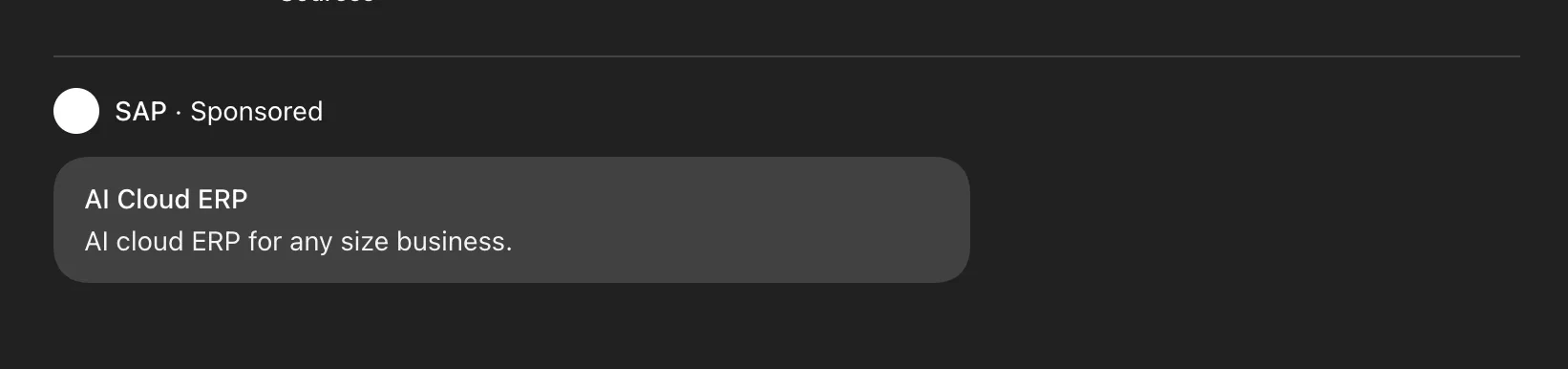
This section documents the ads data returned by the ChatGPT endpoint. Ads are part of the ChatGPT response (no separate API call is needed), but you must opt-in with include.ads: true.
Example request
Ads are opt-in. Set include.ads: true in your request to include them in the response.
{
  "prompt": "What are the best running shoes?",
  "model": "CHATGPT",
  "country": "US",
  "include": {
    "ads": true
  }
}
ads array documented below.
Overview
Ads are automatically extracted when ChatGPT displays advertising content in responses. To include ads in your response, set include.ads: true in your request. Ads and their carousel cards appear in the order ChatGPT renders them in the response; array index 0 is the first ad shown.
Opt-in featureAds extraction is disabled by default. You must explicitly set include.ads: true to extract ads from ChatGPT responses.
Ad structure
Each ad contains:
| Field | Type | Description |
|---|
brand | object | Advertiser brand information (name, url, favicon) |
cards | array | Array of carousel cards promoting products/services |
Brand structure
The brand object includes:
| Field | Type | Description |
|---|
name | string | Advertiser brand name |
url | string | Advertiser brand URL with attribution |
favicon | string | Advertiser brand favicon URL (optional) |
Card structure
Each carousel card includes:
| Field | Type | Description |
|---|
title | string | Card title/heading |
body | string | Card description text |
url | string | Card destination URL with attribution |
image | string | Card image URL (optional) |
Example usage
{
  "prompt": "What are the best running shoes?",
  "model": "CHATGPT",
  "country": "US",
  "include": {
    "ads": true
  }
}
{
  "success": true,
  "result": {
    "text": "Here are several running shoes...",
    "ads": [
      {
        "brand": {
          "name": "Acme Shoes",
          "url": "https://www.acmeshoes.com?utm_source=chatgpt.com",
          "favicon": "https://images.openai.com/favicon.ico"
        },
        "cards": [
          {
            "title": "Premium Running Shoes",
            "body": "Lightweight running shoes with cushioning technology",
            "url": "https://www.acmeshoes.com/running?utm_source=chatgpt.com",
            "image": "https://images.openai.com/product.jpg"
          },
          {
            "title": "Trail Running Shoes",
            "body": "Durable shoes designed for off-road running with strong grip",
            "url": "https://www.acmeshoes.com/trail?utm_source=chatgpt.com",
            "image": "https://images.openai.com/product2.jpg"
          }
        ]
      }
    ]
  }
}