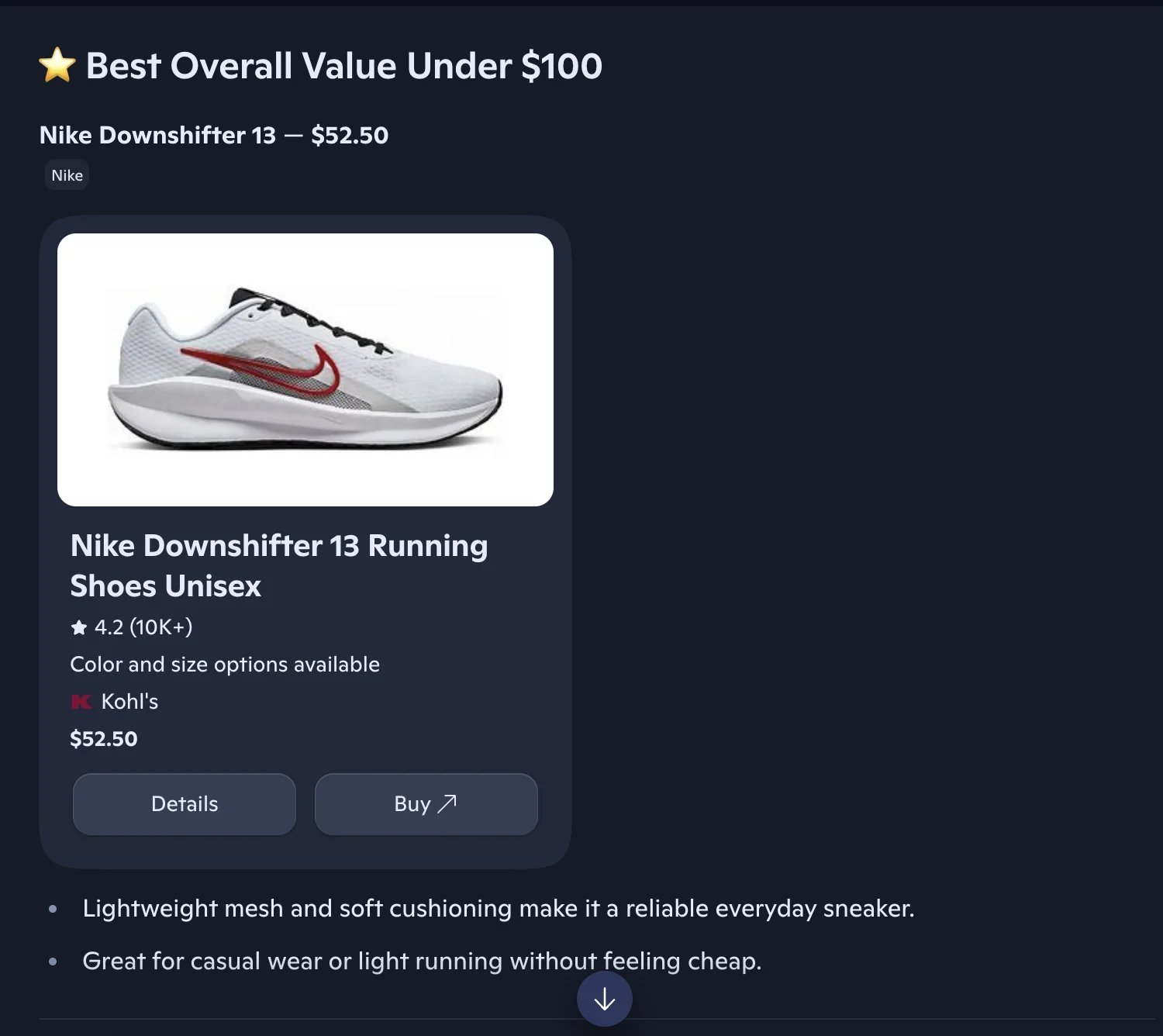
This section documents the shopping cards data returned by the Microsoft Copilot endpoint. Shopping cards are part of the Copilot response — no separate API call is needed.

Example request

Shopping cards are returned by default when Copilot surfaces product data — no flag is required.
{
  "prompt": "What are the best laptops for software development?",
  "country": "US"
}
This produces a response containing the shoppingCards array documented below.

Overview

Shopping cards are automatically extracted when Copilot returns product or commercial information. No additional parameters are required - shopping cards are included by default when available in the response.
Shopping cards in Copilot

Shopping card structure

Each shopping card contains:
FieldTypeDescription
typestringShopping card type (e.g., “shoppingProducts”)
layoutstringLayout style (e.g., “Carousel”)
productsarrayArray of detailed product information objects

Product information

Each product includes comprehensive e-commerce data:
FieldTypeDescription
productobjectProduct identifier with id, groupId, brandGroupId
offerIdstringUnique offer identifier
urlstringProduct page URL
namestringProduct name
descriptionstringProduct description
imagesarrayProduct images with title and url
specificationsarrayProduct specs (e.g., Color, Size) with displayName and values
tagsarrayProduct tags
priceobjectPrice information with amount, currency, currencySymbol
discountPriceobjectDiscount price (same structure as price, may be null)
sellerstringSeller name
sellerLogoUrlstringSeller logo URL
brandNamestringProduct brand name
ratingobjectRating with value and count
canTrackPricebooleanWhether price tracking is available

Product identifier structure

The product field contains:
FieldTypeDescription
idstringUnique product ID
groupIdstringProduct group ID
brandGroupIdstringBrand group ID (optional)

Price structure

The price field contains:
FieldTypeDescription
amountnumberPrice amount
currencystringCurrency code (optional)
currencySymbolstringCurrency symbol (e.g., ”$“)

Rating structure

The rating field contains:
FieldTypeDescription
valuenumberRating value
countintegerNumber of ratings
maxRatingnumberMaximum rating scale (may be null)

Example usage

{
  "prompt": "What are the best laptops for software development?",
  "country": "US"
}
Response with shopping cards:
{
  "success": true,
  "result": {
    "text": "Here are some excellent laptops for software development...",
    "shoppingCards": [
      {
        "type": "shoppingProducts",
        "layout": "Carousel",
        "products": [
          {
            "product": {
              "id": "prod_12345",
              "groupId": "group_12345"
            },
            "offerId": "offer_12345",
            "url": "https://www.microsoft.com/en-us/d/surface-laptop-studio-2/8rqr54krf1dz",
            "name": "Microsoft Surface Laptop Studio 2",
            "description": "The most powerful Surface laptop yet",
            "images": [
              {
                "title": "Front view",
                "url": "https://example.com/surface.jpg"
              }
            ],
            "specifications": [
              {
                "displayName": "Color",
                "values": ["Platinum", "Black"]
              }
            ],
            "tags": ["laptop", "professional"],
            "price": {
              "amount": 1999.99,
              "currency": "USD",
              "currencySymbol": "$"
            },
            "seller": "Microsoft Store",
            "sellerLogoUrl": "https://example.com/microsoft-logo.png",
            "brandName": "Microsoft",
            "rating": {
              "value": 4.7,
              "count": 542
            },
            "canTrackPrice": true
          }
        ]
      }
    ],
    "sources": [
      {
        "position": 1,
        "url": "https://www.microsoft.com/surface",
        "label": "Microsoft Surface",
        "description": "Official Microsoft Surface product information"
      }
    ]
  }
}